AI Consulting Services
 RAG Development
 LLM Development
 AI App Development
 AI Software Development
 AI Integration Services
 AI Agent Development
 AI Chatbot Development
 LLM Fine-Tuning
 Generative AI Integration
 AI Copilot Development
 Data Analytics
 Data Warehousing
 Data Annotation
 AIOps
AIOps
 DevOps Consulting
 DevOps Automation
 SRE
SRE
 LLM Observability
 AI for Healthcare
 AI for CRM
 AI for Customer Support
 AI for Manufacturing
 AI for Real Estate
 AI for Education
 AI for Finance
 AI for E-Commerce
 AI/ML Consulting
 Object Detection
 ChatBot Development
 Computer Vision
 Natural Language Processing
 Data and Ai
 Mobile Apps Development
 Chrome Extension Development
 Odoo Development Services
 Odoo Implementation Services
 Odoo Customization Services
 Odoo Integration Services
 Odoo Migration & Upgrade Services
 Odoo ERP Consulting Services
 Odoo Support and Maintenance Services
 Odoo AI & Automation Services
 Salesforce Consulting
 Salesforce Product
 Salesforce Case Study
 SuiteCRM Consulting
 SuiteCRM Addons
 Devops
 AWS Consulting
 Digital Ocean Consulting
 OnPrem. Server Support
 Cloud Migration Services
 Salesforce WhatsApp Business API
 Salesforce WhatsApp Web Integration
 Salesforce Telephony Integration
 Dentrix To GHL
 Outlook Integration
 MindBody Integration
 Zillow Integration
 Open Dental To GHL
 Number Plate Recognition
 Taxi App & Mobility
 Smart Bus & Fleet System
 HR Solutions (Salesforce)
 Quick HRMS (SuiteCRM)
 CRM For Telecom Industry
 CRM For Travel
 CRM For Call Center
 CRM For Education
 CRM For Healthcare
 CRM For Clinics
 CRM For Locksmith
 CRM For Law
 NodeJS
 Python
 .NET
.NET
 Classic ASP
 Core PHP
 ReactJS
 AngularJs
 Android
 iOS
iOS
 Flutter
 React Native
 AR/VR
AR/VR
 CodeIgniter
 Laravel
 Hire .NET Core Developer
 Hire Salesforce Developer
 Hire Odoo Developers
 CRM For Legal Practice
 Online Photo Booking System
 Task Scheduler for Construction Industry
 Patient Management Software
 Dentist Management System
 Food Delivery App
 CRM For Aviation Company
 Salesforce Marketing Cloud for Online Retail Store
 Salesforce Implementation & Customization For RFID Supplier
 Ecommerce System Integration With ERP
 CRM For Real Estate Company
 Find Nearby Salon
 Taxi Booking App
 CRM For Travel Agency
 Case Management Software
 Engineering Company Website
 CRM For Telecom Industry
 Company Profile
 SuiteCRM Profile
 Telco CRM white paper
 AI enabled speech analysis

Discovery and Environment Assessment
Review the current Odoo version, database, hosting environment, custom modules, third-party applications, and business-critical workflows.
Pioneer in Offering CRM Solutions since 2010...
 ChatGPT Development
 Claude AI Development
 Gemini AI Development
 Microsoft Copilot Development
 DeepSeek AI Development
 LangChain Development
 CrewAI Development
 AutoGen Development
 LangGraph Development
 Pinecone Development
 Weaviate Development
 AI Workflow Automation
 Qdrant Development
 Cursor AI Consulting
 GitHub Copilot Consulting
 Enterprise AI Search (Soon)
ChatGPT Development
Claude AI Development
Gemini AI Development
Microsoft Copilot Development
DeepSeek AI Development
LangChain Development
CrewAI Development
AutoGen Development
LangGraph Development
Pinecone Development
Weaviate Development
AI Workflow Automation
Qdrant Development
Cursor AI Consulting
GitHub Copilot Consulting
Enterprise AI Search (Soon)
ChatGPT Development
Claude AI Development
Gemini AI Development
Microsoft Copilot Development
DeepSeek AI Development
LangChain Development
CrewAI Development
AutoGen Development
LangGraph Development
Pinecone Development
Weaviate Development
AI Workflow Automation
Qdrant Development
Cursor AI Consulting
GitHub Copilot Consulting
Planning to upgrade your Odoo ERP or move from an outdated business system? Variance Infotech helps businesses plan and execute Odoo migrations and version upgrades with a focus on data integrity, system compatibility, and business continuity.
From database migration and custom module assessment to integration testing and deployment, we help you prepare for a more reliable, maintainable ERP environment.
Data integrity. System compatibility. Business continuity.
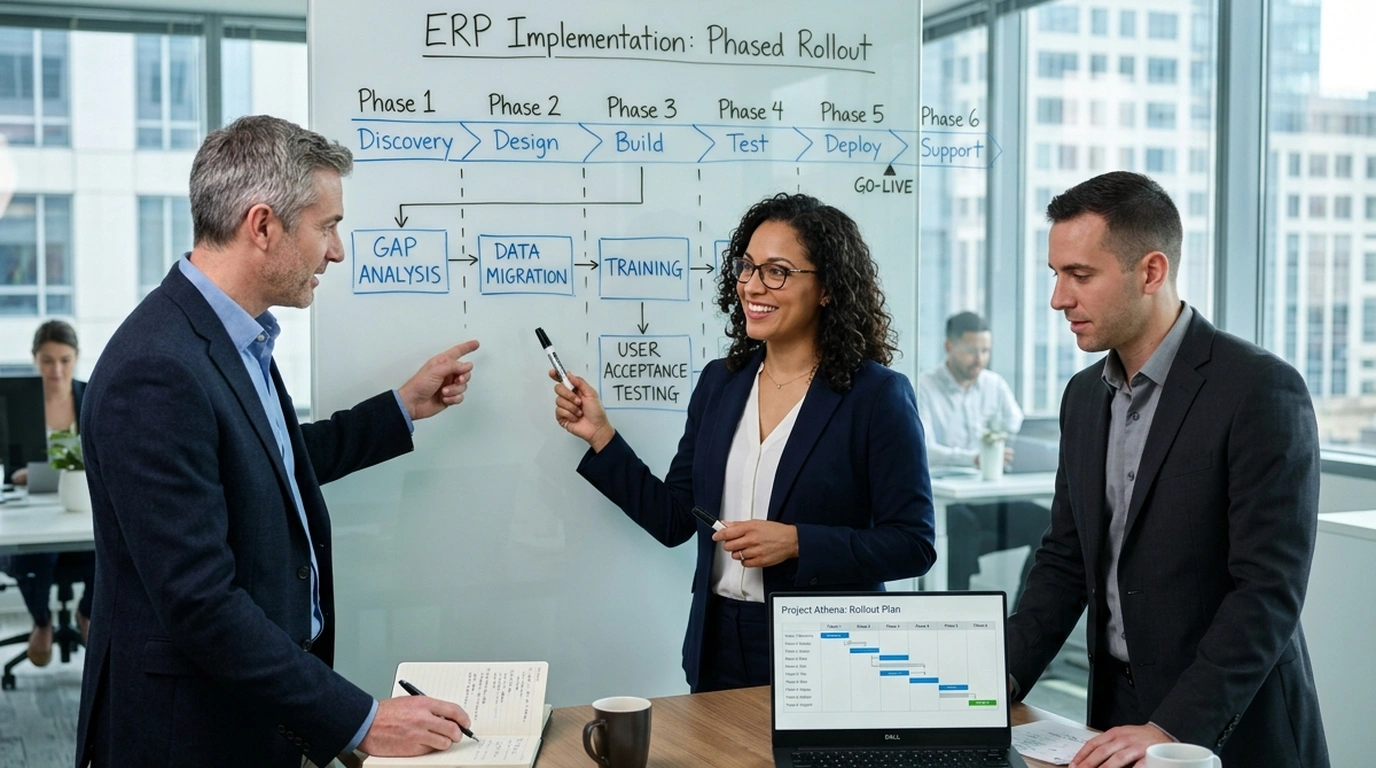

As your business evolves, your ERP system needs to keep pace. Odoo provides an integrated suite of business applications that can support sales, finance, inventory, manufacturing, customer management, and other operational needs.
Evaluate newer capabilities and improve workflows where they deliver meaningful business value across your enterprise.
Review how your ERP applications exchange data and identify opportunities to improve connected operations and API endpoints.
Assess outdated customizations, dependencies, and technical components as part of your upgrade planning to reduce technical debt.
Build a practical roadmap for changing business needs, new integrations, and future system enhancements without operational disruptions.
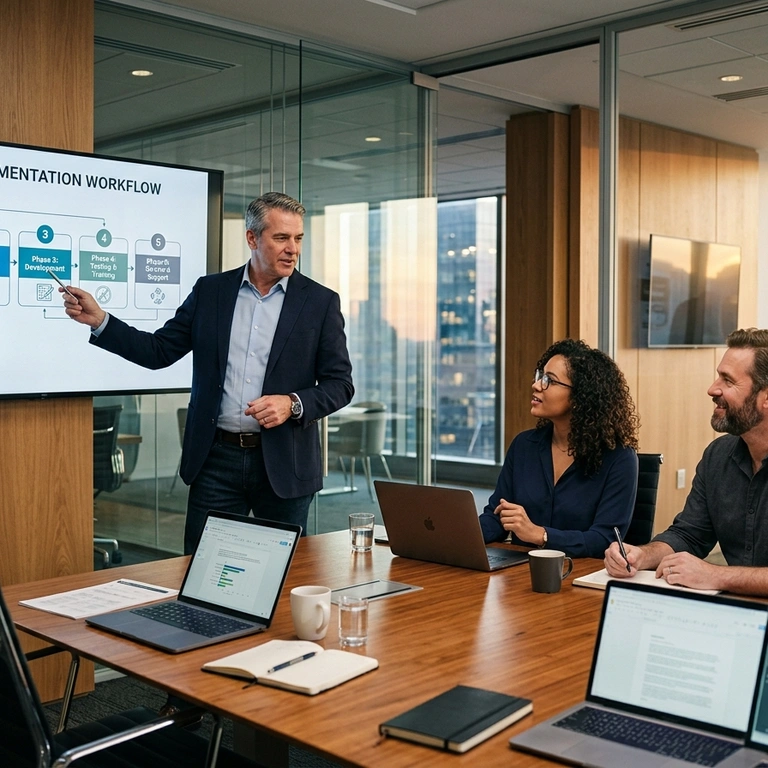
We organize migration and upgrade initiatives around data integrity, technical validation, and minimal business disruption.
Analyze your current Odoo version, database schema, server resources, installed community/enterprise modules, and operational workflows.
Audit bespoke python code, views, controllers, and third-party apps for compatibility with the target Odoo version.
Cleanse redundant records, resolve orphan references, and format legacy data structures prior to database migration execution.
Establish multi-point verified backups, secure snapshot archives, and stringent access controls to safeguard enterprise information.
Conduct end-to-end trial migrations in an isolated staging environment to measure precise timings and validate transformation scripts.
Perform automated and manual record reconciliation across financial ledgers, inventory counts, and customer balances against source systems.
Re-establish and test all connected APIs, payment gateways, eCommerce stores, and logistics connectors with target endpoints.
Execute production cutover during an agreed low-impact window supported by step-by-step contingency and rollback protocols.
Deliver focused hypercare assistance, user guidance, and performance optimization to ensure operational stability from day one.
Every Odoo environment is different. Our migration approach can be scoped around your current version, custom modules, integrations, database structure, and business requirements.
Plan upgrades from an older Odoo version to a newer supported
version. Review database compatibility, customizations, dependencies, and required testing
before deployment.
Prepare and migrate relevant business data while validating
records,
relationships, field mappings, and data consistency throughout the process.
Assess custom modules and third-party add-ons for compatibility
with
the target Odoo version. Update or rebuild functionality where necessary.
Plan the transition from a legacy ERP or other business platform
to
Odoo, including requirements mapping, data preparation, application configuration, and
validation.
Assess the technical and functional considerations involved in
moving between Odoo editions, where supported and appropriate, including licensing,
available
features, and module dependencies.
Review connected systems, APIs, scheduled jobs, and third-party
connectors to identify changes required for compatibility with the target
environment.
Assess the requirements for moving an Odoo environment between
supported hosting arrangements, including database transfer, configuration, access, and
deployment validation.
Address agreed post-migration issues, monitor important
workflows,
and identify opportunities to improve system usability and maintainability after
go-live.

A well-planned Odoo migration unlocks modern technical capabilities, safeguards critical records, and minimizes operational interruption for your business.
Identify outdated dependencies, custom modules, and integration issues before the transition to prevent unexpected post-launch bottlenecks.
Use structured checks and reconciliation to identify missing, inconsistent, or incorrectly mapped records during every phase.
Evaluate capabilities available in the target Odoo version that may benefit your business and modernize day-to-day operations.
Review legacy customizations and dependencies to help create a more maintainable, scalable, and clean ERP codebase.
Use rehearsals, testing, backups, and a defined deployment plan to prepare thoroughly for an uneventful go-live transition.
Understand the required technical work, business decisions, testing activities, and ongoing maintenance considerations before committing.
An Odoo migration involves more than the database. The applications, custom modules, permissions, reports, and integrations surrounding your ERP may also require attention.
We organize migration projects around clear requirements, technical validation, and controlled deployment activities.
Review the current Odoo version, database, hosting environment, custom modules, third-party applications, and business-critical workflows.
Define the target environment, migration approach, dependencies, project scope, risks, responsibilities, and acceptance criteria.
Prepare verified backups, assess data quality, identify migration dependencies, and plan the validation process.
Execute the agreed migration approach, address identified compatibility issues, and update custom modules or integrations as required.
Test important business workflows, user access, reports, integrations, and migrated records. Reconcile key data against the source environment.
Coordinate business-user testing, document outstanding issues, confirm readiness, and establish an approved deployment and rollback plan.
Validate critical operations after deployment, address agreed issues, and provide support according to the project scope.

Migration requirements depend on how your business uses its ERP. We assess the applications, records, integrations, and operational workflows that need to be considered during the transition.
Review production workflows, bills of materials, inventory records, and quality-related configurations.
Assess product data, sales orders, pricing, stock, customer records, and online store integrations.
Plan the transition of inventory, purchasing, supplier records, sales orders, and fulfillment workflows.
Review customer records, project data, timesheets, invoicing, and service delivery workflows.
Assess appropriate administrative, inventory, purchasing, and financial workflows, while considering applicable privacy and compliance requirements.
Review property-related records, customer information, vendor workflows, billing, and custom business processes.
Assess stock movements, purchasing, order processing, and connected logistics applications.
Review company structures, access permissions, intercompany workflows, financial configurations, and reporting requirements.
An ERP migration requires careful coordination between technical work and everyday business operations. Variance Infotech approaches migration planning with a focus on understanding your environment, identifying dependencies, and defining a practical transition strategy.
Understand your existing workflows and priorities before recommending a migration approach tailored to your operational realities.
Identify version dependencies, customizations, integrations, and testing requirements early in the planning process.
Build comprehensive data validation and multi-level record reconciliation directly into the migration plan.
Address custom module and integration requirements where the agreed project scope calls for technical development work.
Prepare testing, go-live rehearsals, and rollback considerations appropriate to your operational environment.
Plan for post-migration support, continuous enhancements, and future optimizations based on your changing business needs.
Common questions and technical considerations regarding Odoo ERP version upgrades, database migration, custom modules, downtime, and data protection.
Odoo migration services help businesses move their data, applications, configurations, and relevant custom functionality to another Odoo version or environment, or transition from another ERP system to Odoo.
An Odoo upgrade typically refers to moving an existing Odoo database and its functionality to a newer version. Migration can have a broader meaning, including moving data between hosting environments, editions, or different ERP platforms.
The available upgrade path depends on your current version, target version, hosting arrangement, installed modules, and customizations. An assessment is needed to determine the appropriate approach.
Not necessarily. Custom modules and third-party add-ons may require compatibility checks, code changes, or redevelopment to work correctly with the target version.
A transition from another ERP may be possible depending on source-system access, available exports or APIs, data quality, and the target Odoo configuration. The migration scope should define which records and historical data need to be transferred.
A migration plan can include verified backups, controlled access, data mapping, trial migrations, record reconciliation, and post-migration validation. The specific controls depend on the project environment.
The timeline depends on database size, source and target versions, custom modules, integration complexity, data quality, testing requirements, and deployment constraints. An estimate should follow an initial technical assessment.
Downtime depends on the migration method, hosting environment, data volume, and cutover strategy. The expected downtime window and business continuity arrangements should be agreed before deployment.







Our sales manager reaches out to you within a few days after analyzing your business requirements.
Meanwhile, we sign an NDA to ensure the highest level of privacy.
Our pre-sale manager presents project estimates and an approximate timeline.